


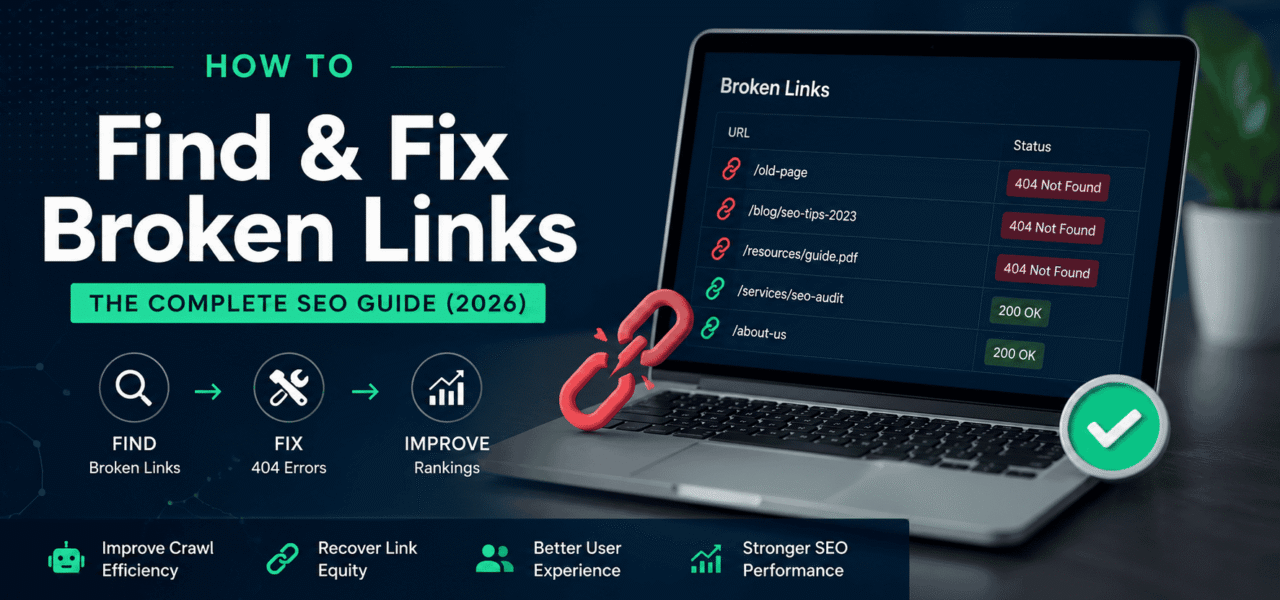
Broken links are one of the most overlooked technical SEO problems. They rarely trigger immediate ranking drops, but over time they quietly damage crawl efficiency, waste link equity, and create poor user experiences that hurt organic performance.
For large SaaS, e-commerce, and content-heavy websites, even a small percentage of dead links can snowball into thousands of crawl errors. Internal links pointing to deleted URLs, outbound references to dead resources, and inbound backlinks hitting 404 pages all reduce the efficiency of your site architecture.
If you want to understand how to find broken links on a website and fix them systematically, this guide covers the entire workflow. You’ll learn:
- Why broken links matter for SEO
- How to detect internal and external dead links
- Which tools work best for different site sizes
- Exactly how to fix 404 errors correctly
- How to prevent broken links from recurring
By the end, you’ll have a repeatable process for identifying, prioritizing, and resolving broken link issues before they impact rankings.
What Are Broken Links? (And Why They Happen)
A broken link is any hyperlink that points to a URL returning an error instead of the intended content. Most broken links return a 404 Not Found status, but they can also produce 410 Gone, 500 server errors, or soft 404s.
Internal vs External Broken Links
Internal broken links point from one page on your site to another page on your site that no longer exists. These are the most damaging from an SEO perspective because they disrupt crawling and internal link flow.
External broken links (outbound links) point to pages on other domains that are no longer available. While less severe, they still matter because they create poor user experiences and can signal low editorial quality.
Common Causes of Broken Links
Most broken links come from predictable operational changes:
- URL slug changes without redirects
- Deleted pages
- CMS migrations
- Site structure changes
- Typographical errors in links
- Product discontinuations
- External websites shutting down or restructuring content
Large sites usually accumulate broken links gradually unless they have active monitoring in place.
How Broken Links Hurt SEO Rankings
Broken links affect SEO in multiple ways simultaneously. The issue is not just “users seeing 404 pages.” The real damage comes from lost authority, wasted crawl activity, and weakened site architecture.
| SEO Impact | Why It Matters |
|---|---|
| Lost Link Equity | Backlinks pointing to dead pages stop transferring authority |
| Crawl Budget Waste | Googlebot spends resources crawling invalid URLs |
| Poor User Experience | Users abandon sessions after encountering dead links |
| Indexation Problems | Internal 404s interrupt content discovery pathways |
Lost Link Equity (PageRank Leakage)
The biggest SEO risk comes from backlinks pointing to deleted URLs.
If a high-authority page links to a URL on your site that now returns a 404, the authority from that backlink effectively stops benefiting your site. Over time, this creates measurable ranking losses — especially on enterprise sites with years of accumulated backlinks.
This is why reclaiming broken pages with inbound links should always be your top priority.
For example:
- A blog post earned 50 backlinks
- The page was deleted during a CMS migration
- No redirect was implemented
- All link equity hitting that URL is now wasted
This is one of the most common causes of hidden ranking declines after redesigns or platform migrations.
Tip: Always prioritize broken URLs with external backlinks before fixing low-value internal errors.
Crawl Budget Waste
Google allocates finite crawl resources to your site. Excessive 404s waste those resources.
When search engine bots repeatedly crawl invalid URLs, they spend less time discovering and refreshing important pages. This becomes a major issue on:
- Large e-commerce catalogs
- Publisher sites
- Enterprise SaaS knowledge bases
- Sites with faceted navigation
If your site generates thousands of broken URLs, your effective crawl budget decreases.
User Experience Signals
Users encountering broken links often leave immediately. That creates:
- Higher bounce rates
- Session abandonment
- Reduced engagement
- Increased pogo-sticking
While Google does not use bounce rate directly as a ranking factor, poor engagement patterns correlate strongly with weaker search performance.
A user who clicks a result and lands on a dead page is unlikely to trust your site again.
Indexation Problems
Internal linking helps search engines discover and understand content relationships.
When internal links break:
- Discovery paths collapse
- Deep pages become harder to crawl
- Orphan pages increase
- Internal authority distribution weakens
A few strategic broken links in navigation or category systems can affect hundreds or thousands of pages.
How to Find Broken Links on Your Website
Finding broken links efficiently requires more than a one-time crawl. Different detection methods reveal different classes of issues.
The best SEO teams combine multiple approaches.
Method 1 — Google Search Console (Free)
Google Search Console is the easiest starting point.
To find broken links:
- Open Google Search Console
- Navigate to Indexing → Pages
- Look for Not Found (404)
- Export affected URLs
This report shows URLs Google has attempted to crawl but could not access successfully.
Advantages:
- Free
- Direct Google data
- Good for identifying indexing issues
Limitations:
- Only includes URLs Google has discovered
- May miss newer broken links
- Does not show all internal linking sources
GSC is useful for validation, but not comprehensive discovery.
Method 2 — Automated Crawl Tools
Dedicated crawlers provide much deeper visibility.
Popular options include:
- Screaming Frog SEO Spider
- Sitebulb
- TechySEO
- Ahrefs Site Audit
- Semrush Site Audit
These tools crawl your website similarly to a search engine bot and identify:
- Internal 404s
- Redirect chains
- Broken outbound links
- Soft 404s
- Missing redirects
Screaming Frog is widely used, but the free version is limited to 500 URLs. That limitation makes it impractical for larger sites.
The major advantage of modern platforms is automation. One-time audits quickly become outdated because broken links continuously appear after content updates, product removals, or CMS changes.
That’s why scheduled monitoring is more effective than periodic audits.
A dedicated broken link monitor combined with continuous crawling can detect issues immediately after they occur.
Method 3 — Browser Extensions
Browser extensions work well for page-level inspections.
Useful tools include:
- Check My Links (Chrome)
- Link Checker
- Broken Link Checker extensions
These tools scan the currently loaded page and highlight broken links instantly.
Best use cases:
- QA during content publishing
- Verifying high-value landing pages
- Editorial reviews
Limitations:
- Only checks one page at a time
- No sitewide reporting
- Not scalable for large sites
Method 4 — Server Log Analysis
Server log analysis is the most accurate detection method available.
Instead of crawling your site, you analyze actual server requests from:
- Googlebot
- Bingbot
- Real users
- Third-party bots
This reveals every requested URL returning errors.
Server logs help identify:
- Frequently requested 404s
- Legacy URLs still receiving traffic
- Crawl traps
- Bot-generated invalid URLs
For enterprise SEO, log analysis is often the only reliable way to understand the real scale of broken link issues.
Broken Link Detection Methods Compared
| Method | Coverage | Cost | Best For |
|---|---|---|---|
| Google Search Console | Partial | Free | Basic SEO monitoring |
| Crawl Tools | High | Medium | Full-site technical audits |
| Browser Extensions | Low | Free | Page-level QA |
| Server Log Analysis | Very High | Medium–High | Enterprise SEO |
How to Fix Broken Links (Step-by-Step)
Finding broken links is only half the process. The real SEO value comes from fixing them correctly.
Fix 1 — Redirect the Broken URL
The most common fix is implementing a redirect.
Use a 301 redirect when:
- The original page is permanently removed
- There is a closely related replacement page
- You want to preserve link equity
Use a 302 redirect only for temporary situations.
Apache (.htaccess) Example
Redirect 301 /old-page/ https://example.com/new-page/
Nginx Example
rewrite ^/old-page/$ https://example.com/new-page/ permanent;
WordPress Options
In WordPress, you can manage redirects using plugins such as:
- Redirection
- Rank Math
- Yoast Premium
Avoid redirecting every deleted page to the homepage. Google treats irrelevant redirects as soft 404s.
Always redirect to the most contextually relevant page available.
Fix 2 — Restore the Deleted Page
Sometimes redirecting is the wrong solution.
If a deleted page previously had:
- Strong backlink profiles
- Consistent organic traffic
- Valuable rankings
- Brand mentions
…it may be better to restore the original content.
You can recover deleted content using:
- CMS backups
- Git repositories
- The Wayback Machine
This approach preserves topical relevance and avoids losing historical authority.
Fix 3 — Update Internal Links
Redirects solve symptoms. Updating internal links solves root causes.
Once a URL changes:
- Identify every page linking to the old URL
- Update the
hrefreferences - Remove unnecessary redirect dependency
This improves:
- Crawl efficiency
- Page speed
- Internal link equity flow
Most crawlers can export “Inlinks” reports showing all pages linking to a broken URL.
You can also search your CMS database directly.
For example, in WordPress:
- Use database search plugins
- Run SQL replacements carefully
- Use sitewide search tools
Fix 4 — Remove the Link
For outbound broken links, the solution is usually:
- Replace with a working alternative
- Remove the link entirely
External dead links still matter because they reduce content quality signals.
This is especially important for:
- Resource pages
- Old blog posts
- Documentation hubs
- Academic references
Broken outbound links suggest poor maintenance standards.
When to Prioritize
Not all 404s deserve equal attention.
Fix issues in this order:
- Broken pages with inbound backlinks
- Broken links on high-traffic pages
- 404s appearing in XML sitemaps
- Navigation or menu errors
- Low-value legacy URLs
This prioritization model maximizes SEO impact efficiently.
Preventing Broken Links Going Forward
Most organizations treat broken links reactively. That approach does not scale.
The goal should be prevention.
Set Up Continuous Monitoring
Periodic audits fail because websites change constantly.
Every time your team:
- Publishes content
- Removes products
- Updates URLs
- Migrates templates
…new broken links can appear.
Continuous monitoring solves this by automatically detecting issues after each crawl cycle.
Platforms offering scheduled crawling and alerting can identify:
- Newly broken internal links
- Outbound dead links
- Redirect loops
- Soft 404s
- Server errors
A proactive monitoring workflow prevents technical debt accumulation.
Implement a Redirect Policy
Most broken links originate from uncontrolled URL changes.
You should establish documented redirect rules before deploying content updates.
A proper redirect policy includes:
- Mandatory redirect mapping for changed URLs
- QA validation before launch
- Migration testing procedures
- Redirect ownership responsibilities
This becomes especially important during:
- CMS migrations
- Product catalog restructures
- Blog redesigns
- Localization rollouts
Without governance, broken links multiply quickly.
Validate Links Before Publishing
Editorial teams should validate links before publishing updates.
Your publishing checklist should include:
- Internal link verification
- Outbound link testing
- Redirect validation
- Canonical review
This simple process catches many problems before search engines discover them.
Broken Links on Your 404 Page: SEO Best Practices
Your 404 page itself matters.
A poorly configured 404 page creates additional SEO issues beyond the missing content.
Ensure the Page Returns a Real 404 Status
One of the most common mistakes is creating “friendly” 404 pages that actually return 200 OK.
This creates a soft 404.
A soft 404 occurs when:
- The page visually says “Not Found”
- But the server returns a successful status code
Search engines may continue indexing these pages incorrectly.
Always verify actual HTTP status codes using:
- Browser DevTools
- cURL
- SEO crawlers
- Header checkers
A crawler may flag a URL as broken while the server still returns 200. Always validate manually before assuming the issue is resolved.
Design a Helpful Custom 404 Page
A good 404 page minimizes user frustration.
Include:
- Clear messaging
- Main navigation
- Search functionality
- Popular resources
- Category links
- Homepage access
The goal is recovery, not apology.
Users should immediately have pathways back into your site.
Avoid Redirecting All 404s to the Homepage
This is a common but harmful practice.
Google generally treats irrelevant homepage redirects as soft 404s.
Instead:
- Redirect only when a close equivalent exists
- Return proper 404s for genuinely missing content
Accuracy matters more than masking errors.
Common Broken Link Mistakes
Many SEO teams unintentionally worsen broken link problems.
Avoid these common errors:
| Mistake | Why It’s Harmful |
|---|---|
| Redirecting everything to homepage | Creates soft 404 signals |
| Leaving high-authority pages broken | Wastes backlinks |
| Ignoring outbound dead links | Hurts editorial quality |
| Relying on one-time audits | Problems return quickly |
| Not updating internal links after redirects | Creates unnecessary crawl hops |
Enterprise Broken Link Strategy
For larger organizations, broken link management should become operationalized.
A mature process usually includes:
- Scheduled technical crawls
- Real-time alerting
- Redirect governance
- Migration QA
- Log monitoring
- Editorial validation workflows
The difference between small and enterprise SEO operations is rarely tooling alone — it’s process consistency.
Broken links are inevitable on large websites. The competitive advantage comes from detecting and resolving them faster than competitors.
Conclusion
Broken links are not just a maintenance issue. They directly affect crawl efficiency, link equity distribution, user experience, and indexation quality.
The most effective workflow is simple:
- Find broken links using crawlers, Search Console, and log analysis
- Prioritize URLs with backlinks or high traffic
- Fix issues using redirects, restoration, or internal link updates
The key is consistency. One-time audits are not enough for modern websites that change constantly.
Stop finding broken links manually. TechySEO automatically crawls your website on a schedule and alerts you the moment a new broken link appears — before it impacts your rankings. Start monitoring for free →
