


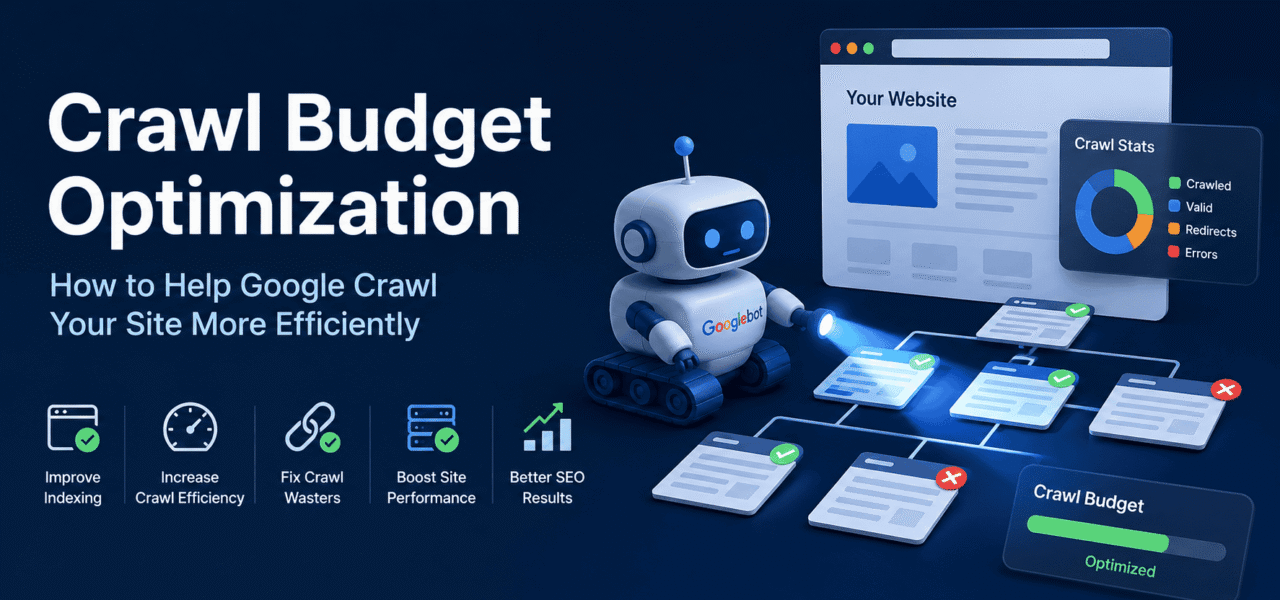
If your website has thousands of pages, Google may not always crawl or discover the ones that matter most. And it’s not always a content quality issue—often, the problem is crawl budget: how Googlebot chooses where to spend its time and resources.
In this guide, you’ll learn how crawl budget works, what wastes it (from faceted navigation to redirect chains), and how to make sure search engines focus their crawling on your most important pages instead of low-value URLs.
Introduction
Crawl budget is one of those SEO concepts that sounds abstract until your site grows large enough that Googlebot stops keeping up with your content. In simple terms, crawl budget refers to how many pages search engines like Google are willing and able to crawl on your site within a given timeframe, and how much of that crawling capacity is actually allocated to your site.
This matters most for large websites—typically those with 1,000+ URLs—such as e-commerce stores, marketplaces, news publishers, and SaaS platforms with extensive documentation. If you run a small blog or a brochure site, crawl budget is usually not your bottleneck; Google can easily crawl everything you publish.
However, at scale, inefficient crawling becomes a real performance problem. Important pages may take too long to be discovered, while low-value URLs consume disproportionate crawl resources. This guide breaks down how crawl budget works, how to identify inefficiencies, and how to implement crawl budget optimization techniques that ensure Googlebot focuses on your most valuable pages.
What Is Crawl Budget?
Crawl budget is not a single fixed number. It is a dynamic combination of two core components: crawl rate limit and crawl demand.
Crawl Rate Limit
Crawl rate limit refers to how many requests Googlebot can make to your site without degrading server performance. If your server responds quickly and reliably, Google increases crawl activity. If your server is slow or returns errors, crawl rate is reduced automatically.
Key factors influencing crawl rate:
- Server response time (TTFB)
- Server errors (5xx responses)
- Site stability and uptime
- Historical crawl performance
In practice, faster websites get crawled more frequently because they signal low risk to infrastructure.
Crawl Demand
Crawl demand represents how much Google wants to crawl your pages. This is driven by:
- Page popularity (external links and traffic)
- Internal linking structure
- Content freshness (how often pages change)
- Perceived importance (PageRank distribution)
For example, a frequently updated product category with strong backlinks will be crawled more often than an orphaned tag archive page.
Crawl Budget = Rate × Demand
Putting it together:
Crawl Budget = Crawl Rate Limit × Crawl Demand
Even if Google is willing to crawl your site frequently (high demand), a slow server will limit actual crawling. Conversely, even with a fast server, low-demand pages may rarely be visited.
It is also important to clarify that crawl budget does not guarantee indexation. Googlebot may crawl a page multiple times without indexing it if the content is deemed low quality, duplicate, or not useful.
Signs You Have a Crawl Budget Problem
Crawl budget issues usually show up indirectly through indexing and log behavior patterns.
Common symptoms include:
- New or updated pages taking days or weeks to appear in search results
- Important pages not being indexed despite being internally linked
- Large volumes of low-value pages being crawled (filters, tags, internal search URLs)
- Crawl Stats report showing disproportionate crawling of parameter-based URLs
- High percentage of 4xx or 5xx responses in crawl logs
- Orphaned pages that never receive crawl visits
In Google Search Console, a particularly strong signal is when crawl activity is high but indexing velocity is low. This often indicates wasted crawl budget rather than insufficient crawling capacity.
What Wastes Crawl Budget
Crawl waste occurs when Googlebot spends time crawling URLs that do not add SEO value or should not exist in indexable form.
Faceted Navigation & URL Parameters
Faceted navigation is one of the biggest crawl budget killers on e-commerce sites. Filters like size, color, price range, and sorting generate massive combinations of URLs.
Example:
- /shoes?color=black
- /shoes?color=black&size=10
- /shoes?color=black&size=10&sort=price
These often create thousands of near-duplicate pages with minimal unique value.
Duplicate Content Across URL Variations
Duplicate URLs arise from:
- HTTP vs HTTPS versions
- www vs non-www
- trailing slash inconsistencies
- uppercase/lowercase variations
Without strict canonicalization, Googlebot may crawl multiple versions of the same page unnecessarily.
Broken Internal Links (404s)
Every internal link pointing to a 404 page wastes crawl resources. At scale, this becomes significant because Googlebot continues following internal structures even when they lead to dead ends.
As confirmed in Google’s documentation, broken internal links directly consume crawl budget and reduce crawl efficiency.
Redirect Chains
Redirect chains force multiple crawl hops for a single destination:
A → B → C → D
Each hop consumes crawl budget. At scale, this creates unnecessary load and delays content discovery.
Low-Value Pages
These include:
- Thin tag archive pages
- Empty internal search result pages
- Expired promotional pages
- Auto-generated filter pages without search demand
These pages often add no SEO value but remain crawlable.
Session IDs in URLs
Session IDs create infinite URL variations:
/product?sessionid=123
/product?sessionid=456
This can exponentially increase crawlable URLs, confusing crawlers and diluting crawl focus.
How to Optimize Crawl Budget
Crawl budget optimization is about removing waste and guiding crawlers toward high-value URLs.
Block Low-Value URLs in robots.txt
One of the fastest ways to reduce crawl waste is blocking unnecessary URL patterns.
Example robots.txt rules:
User-agent: *
Disallow: /search
Disallow: /?sort=
Disallow: /*sessionid=
Disallow: /*?filter=
Disallow: /admin/
Important clarification:
- robots.txt prevents crawling, not indexing
- use
noindexfor pages that should not appear in search results - do not block pages you want indexed via robots.txt
Use Canonical Tags to Consolidate Duplicate URLs
Canonical tags signal the preferred version of a page.
Best practices:
- Use self-referencing canonicals on all indexable pages
- Point parameter URLs to clean canonical versions
- Avoid conflicting canonicals on paginated pages
Example:
<link rel="canonical" href="https://example.com/shoes" />Fix Broken Internal Links
Broken links are one of the clearest sources of wasted crawl budget. Regular audits are essential.
Use tools like:
Fix or update:
- outdated product links
- removed category pages
- incorrect navigation references
Consolidate Redirect Chains
Redirect chains should always be reduced to a single hop.
Bad:
A → B → C
Good:
A → C
Use:
Improve Server Response Time (TTFB)
Slow servers directly reduce crawl rate limits. If Googlebot detects latency, it will automatically slow crawling.
Targets:
- TTFB under 200ms for key pages
- consistent server response under load
Optimization techniques:
- full-page caching
- CDN distribution
- database query optimization
- object caching layers
Fast servers = higher crawl efficiency.
Use XML Sitemaps Strategically
Sitemaps are crawl prioritization signals, not guarantees.
Best practices:
- include only canonical, indexable URLs
- remove filtered or parameter-based URLs
- update
<lastmod>accurately - split large sitemaps (50k URLs max per file)
Validate with:
Strengthen Internal Linking
Internal links distribute crawl demand across your site.
Key principles:
- Important pages should be within 2–3 clicks from homepage
- Avoid orphan pages
- Use contextual links in content
- Strengthen category → product → subcategory relationships
Pages with higher internal link equity are crawled more frequently.
How to Measure Crawl Budget Usage
Understanding crawl behavior requires combining multiple data sources.
Google Search Console Crawl Stats
Provides:
- pages crawled per day
- response codes
- file types
- crawl response time trends
Useful for high-level monitoring but not granular enough for debugging.
Server Log Files
The most accurate source of crawl data. Logs show every request from Googlebot, including:
- crawl frequency per URL
- response codes per path
- crawl depth distribution
Log Analysis Tools
For deeper insights:
- Screaming Frog Log File Analyzer
- Botify (enterprise scale)
- Lumar (enterprise crawling intelligence)
Key Metrics to Monitor
- % of crawl spent on 200 vs 404 vs 301 responses
- crawl frequency of parameter URLs vs canonical URLs
- depth of crawled pages
- pages crawled but not indexed
Crawl Budget by Site Type
E-commerce Websites
Highest risk category for crawl waste.
Focus areas:
- eliminate faceted navigation duplication
- block session IDs
- manage pagination carefully
- optimize product variant URLs
News and Media Sites
Crawl demand is high due to freshness requirements.
Priorities:
- fast indexing of breaking news
- XML News Sitemap usage
- efficient category architecture
SaaS and Lead Generation Sites
Usually low crawl budget pressure unless scaled.
Focus on:
- eliminating 404s
- managing documentation updates
- avoiding duplicate landing pages
Large Enterprise Sites
Require continuous monitoring:
- log analysis audits
- crawl efficiency reporting
- automated detection of waste patterns
- quarterly crawl optimization reviews
Conclusion
Crawl budget optimization is not about restricting Googlebot—it is about guiding it. The goal is to ensure that every crawl request contributes to discovery, freshness, or ranking potential.
For large websites, inefficiencies like faceted URLs, redirect chains, and broken links can silently consume significant crawl capacity. By improving server performance, consolidating URLs, and strengthening internal linking, you help search engines allocate more attention to your most important pages.
Ultimately, better crawl efficiency leads to faster indexing, improved visibility, and more consistent organic performance across large-scale websites.
