


Introduction
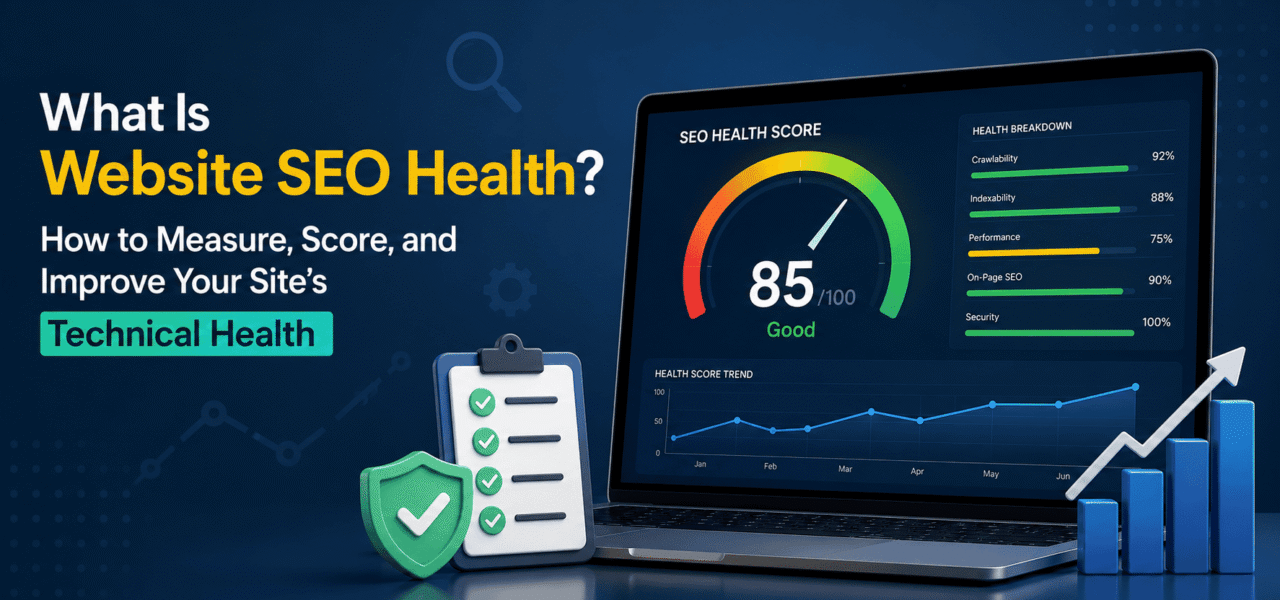
Your SEO tool says your website has an 82/100 health score.
Should you celebrate? Panic? Ignore it?
If you’ve ever run a site audit in an SEO platform, you’ve probably encountered a number labeled as your website SEO health score. The problem is that these scores often create more confusion than clarity. One tool might rate your site at 96/100, while another gives it a 78/100. Which one is right?
The truth is that SEO health scores are both useful and misleading.
Useful because they highlight technical issues that deserve attention. Misleading because every platform defines “health” differently, applying proprietary weighting systems that don’t always reflect real-world ranking impact.
A site can have a near-perfect audit score and still struggle to rank because its content fails to satisfy search intent. Conversely, a website with an average score may generate substantial organic revenue because the issues affecting its score have little business impact.
This guide explains what SEO health actually means, how to interpret tool-generated scores, and how to build a measurement framework that prioritizes what truly matters. Instead of chasing arbitrary numbers, you’ll learn how to measure technical SEO health in a meaningful, actionable way that supports both search visibility and business performance.
What Is SEO Health?
At its core, SEO health refers to how well your website is configured to be discovered, crawled, indexed, and understood by search engines.
However, there are two ways to define it.
The Narrow Definition
Many SEO tools define technical health as the percentage of pages free from technical errors.
These issues often include:
- Crawlability problems
- Indexation issues
- Broken links
- Redirect errors
- Missing metadata
- Server errors
- Security concerns
- Duplicate elements
Using this definition, a site with fewer detected issues receives a higher site health score SEO rating.
The Broader Definition
A more practical interpretation considers SEO health as the overall ability of a website to support organic growth.
This includes:
- Proper crawling and indexation
- Stable site availability
- Secure HTTPS implementation
- Fast page performance
- Healthy internal linking
- Strong Core Web Vitals performance
- Integration with Google’s reporting systems
In other words, technical SEO health is operational readiness for search success.
SEO Health Does Not Equal Rankings
One of the biggest misconceptions is assuming that health scores predict rankings.
They don’t.
A website may achieve:
- Perfect canonical implementation,
- Excellent Core Web Vitals,
- Zero crawl errors,
and still rank poorly because:
- Its content targets the wrong keywords,
- Competitors offer better information,
- Search intent isn’t satisfied.
Technical excellence enables performance. It doesn’t guarantee it.
Should You Trust Tool Health Scores?
The short answer: yes—but only to a point.
How SEO Tools Calculate Health Scores
Most audit platforms use proprietary methodologies.
For example:
Semrush Site Audit Score
Semrush evaluates detected issues and assigns weights based on internal classifications. The resulting percentage becomes your health score.
Large volumes of lower-priority warnings can significantly reduce the score.
Ahrefs Site Audit Score
Ahrefs follows a similar approach, scoring websites according to its own issue weighting system.
Again, the methodology is unique to the platform.
The Problem with Proprietary Scores
Not all issues deserve equal attention.
Consider these scenarios:
- Ten missing meta descriptions.
- Hundreds of pages accidentally blocked from indexing.
Many tools lower scores for both categories, even though the business impact differs dramatically.
Common shortcomings include:
- Overweighting cosmetic issues,
- Underweighting indexation problems,
- Treating all affected pages similarly regardless of traffic value.
As a result, your SEO audit score may not accurately reflect the health of your business-critical pages.
What Tools Get Right
Despite their limitations, health scores offer genuine value.
They help teams:
- Detect issues consistently,
- Benchmark progress,
- Track changes over time,
- Identify emerging technical trends.
What Tools Get Wrong
A high score does not mean:
- Strong rankings,
- Better conversions,
- Higher revenue,
- Superior user experience.
Likewise, a lower score doesn’t necessarily indicate disaster.
Bottom Line
Use a website SEO health score as a trend indicator—not an absolute quality metric.
If your score declines steadily over time, investigate.
If it rises after fixes, that’s encouraging.
But an isolated score of 85/100 means very little unless you understand exactly what’s being measured.
A Better Framework for SEO Health
Rather than relying entirely on tool-defined scores, build your own framework around metrics that matter.
Below is a practical four-tier model.
Tier 1: Critical Health (Must Fix)
These issues directly affect visibility and accessibility.
| Metric | Why It Matters |
|---|---|
| Percentage of key pages indexed | Determines whether Google can surface important content |
| 4xx and 5xx error counts | Prevent access to pages |
| Incorrect robots.txt blocks | Stops crawling of valuable pages |
| SSL certificate validity | Supports trust and security |
| Site uptime percentage | Ensures continuous accessibility |
Questions to ask:
- Are revenue-driving pages indexed?
- Is Google reaching critical content?
- Is the site consistently available?
Tier 2: On-Page Health (Should Fix)
These factors improve clarity and optimization.
| Metric | Why It Matters |
| Missing title tags | Reduce relevance signals |
| Duplicate title tags | Create ambiguity |
| Missing meta descriptions | Affect click-through potential |
| Missing H1s | Reduce structural clarity |
| Duplicate H1s | Cause content confusion |
| Incorrect canonicals | Lead to indexation issues |
| Redirect chains | Slow crawling efficiency |
These issues rarely destroy rankings overnight but deserve systematic attention.
Tier 3: Performance Health (Optimize)
Performance increasingly influences user experience and crawl efficiency.
Track:
| Metric | Goal |
| Core Web Vitals pass rate | Maximize “Good” URLs |
| Average Time to First Byte | Reduce server delays |
| Largest image sizes | Improve LCP performance |
Performance improvements compound over time.
Tier 4: Link Health (Improve)
Internal linking influences discoverability and authority distribution.
Monitor:
| Metric | Goal |
| Broken internal links | Eliminate completely |
| Pages with three or more internal links | Increase coverage |
| Orphan pages | Reduce to zero |
Healthy linking structures help search engines understand site hierarchy.
Build Your Own Score
Assign weights based on business priorities.
For example:
- Tier 1: 50%
- Tier 2: 25%
- Tier 3: 15%
- Tier 4: 10%
An e-commerce business may prioritize uptime and indexation.
A publisher may emphasize internal linking and Core Web Vitals.
Your scoring model should reflect your business reality.
How to Measure Your SEO Health (Step-by-Step)
1. Run a Full Crawl
Use tools such as:
- TechySEO,
- Screaming Frog,
- Semrush Site Audit.
Comprehensive crawling reveals technical issues across the entire site.
2. Export Issues by Category
Group findings according to your framework.
Separate:
- Critical issues,
- On-page issues,
- Performance concerns,
- Link-related problems.
This immediately improves prioritization.
3. Cross-Reference with Google Search Console
A crawl tells you what exists.
Google Search Console tells you what Google recognizes.
Review:
- Coverage reports,
- Indexed pages,
- Excluded URLs.
Ensure important pages are actually indexed.
4. Check Core Web Vitals
Review the percentage of URLs classified as “Good.”
Focus on:
- Largest Contentful Paint (LCP),
- Interaction to Next Paint (INP),
- Cumulative Layout Shift (CLS).
Prioritize templates affecting the largest number of URLs.
5. Record Baseline Metrics
Before making changes, document:
- Current health score,
- Indexed pages,
- Error counts,
- Redirect chains,
- Core Web Vitals performance,
- Uptime percentages.
Without a baseline, improvement becomes impossible to quantify.
6. Set Targets
Examples include:
- Zero critical crawl errors,
- Less than 5% of pages missing title tags,
- Zero unintended robots blocks,
- 100% uptime on priority pages,
- Continuous reduction of orphan pages.
Targets create accountability.
7. Fix in Priority Order
Address issues according to business impact.
Start with Tier 1.
Then progress through:
- Tier 2,
- Tier 3,
- Tier 4.
Avoid the temptation to chase easy wins while ignoring serious blockers.
8. Re-Measure Monthly
Conduct a recurring SEO health check.
Track trends.
Compare against baselines.
Refine targets.
Health management is an ongoing process—not a one-time event.
Issue Prioritization: Not All SEO Problems Are Equal
One of the biggest mistakes in technical SEO is fixing whatever appears first in an audit report.
Easy tasks often receive attention simply because they are easy.
That approach wastes resources.
Instead, prioritize using four factors.
1. Impact on Indexation
Ask:
Will this prevent Google from accessing important content?
Examples include:
- Robots.txt errors,
- Noindex mistakes,
- Server failures.
These deserve immediate action.
2. Volume × Severity
A moderate issue affecting thousands of pages may outweigh a severe issue affecting one page.
Always consider scale.
3. Business Value
Not all pages are equal.
A broken link on a top-converting category page is more important than one affecting an outdated archive.
Prioritize according to commercial significance.
4. Effort Required
When impact is similar, choose the lower-effort solution first.
Faster implementation accelerates results.
TechySEO’s issue prioritization engine evaluates issues according to estimated ranking impact, helping teams focus on the highest-leverage fixes before addressing lower-value warnings.
SEO Health Reporting for Teams and Clients
Reporting should communicate trends and decisions—not just numbers.
Include These Elements
Trend Graphs
Show movement over time.
Track:
- Overall health,
- Indexed pages,
- Error counts.
Issues Fixed
Document completed work.
Examples:
- Redirect chains resolved,
- Broken links repaired,
- Canonicals corrected.
Newly Detected Issues
Highlight emerging concerns.
This demonstrates proactive monitoring.
Outstanding Critical Problems
List:
- Severity,
- Impact,
- Ownership,
- Estimated resolution timelines.
Transparency improves stakeholder confidence.
Core Metrics Dashboard
Include:
- Indexed page counts,
- 404 totals,
- Redirect chain totals,
- Core Web Vitals pass rates,
- Uptime percentages.
Reporting Frequency
Most websites benefit from monthly reporting.
However:
- Large e-commerce sites may require weekly reviews.
- High-publishing environments should monitor continuously.
What Not to Report
Avoid making a single composite score your headline metric.
An isolated site health score SEO number lacks context.
Explain what changed and why it matters.
That’s where reporting creates value.
Continuous Monitoring vs. Point-in-Time Audits
Traditional audits provide snapshots.
Unfortunately, websites change constantly.
The Problem with Quarterly Audits
Imagine this sequence:
- Your audit identifies no major problems.
- The next day, a critical page returns a 404.
- Weeks later, CMS updates create redirect chains.
- Temporary server failures affect crawling.
You don’t discover any of it until the next audit.
By then, opportunities may already be lost.
Why Continuous Monitoring Wins
Continuous monitoring closes the detection gap.
Benefits include:
- Every crawl checks all pages,
- New issues appear quickly,
- Critical alerts trigger immediately,
- Historical trends reveal deterioration,
- Teams respond before problems escalate.
TechySEO’s continuous crawling detects emerging technical issues as they happen rather than months later.
Its integrated uptime monitoring also alerts teams when availability issues threaten performance.
The result is a shift from reactive SEO to proactive site management.
Conclusion
A website SEO health score isn’t meaningless—but it isn’t the ultimate measure of SEO success either.
Tool-generated scores are best viewed as trend indicators. They help identify change, encourage consistency, and highlight areas requiring investigation. What they cannot do is fully capture the relationship between technical health, business impact, and search performance.
The most effective teams build their own frameworks.
They prioritize indexation over cosmetics, monitor continuously instead of auditing occasionally, and allocate resources according to impact rather than issue counts.
If you want to improve your SEO health score, don’t chase the number.
Improve the systems behind it.
Focus on what actually matters: keeping your website accessible, indexable, performant, and resilient over time.
Build your own SEO health dashboard with TechySEO.
Continuous crawling, issue prioritization, and uptime monitoring—all in one platform, with alerts when your health declines.
Explore all features or start your free trial today at https://app.techyseo.com.
