


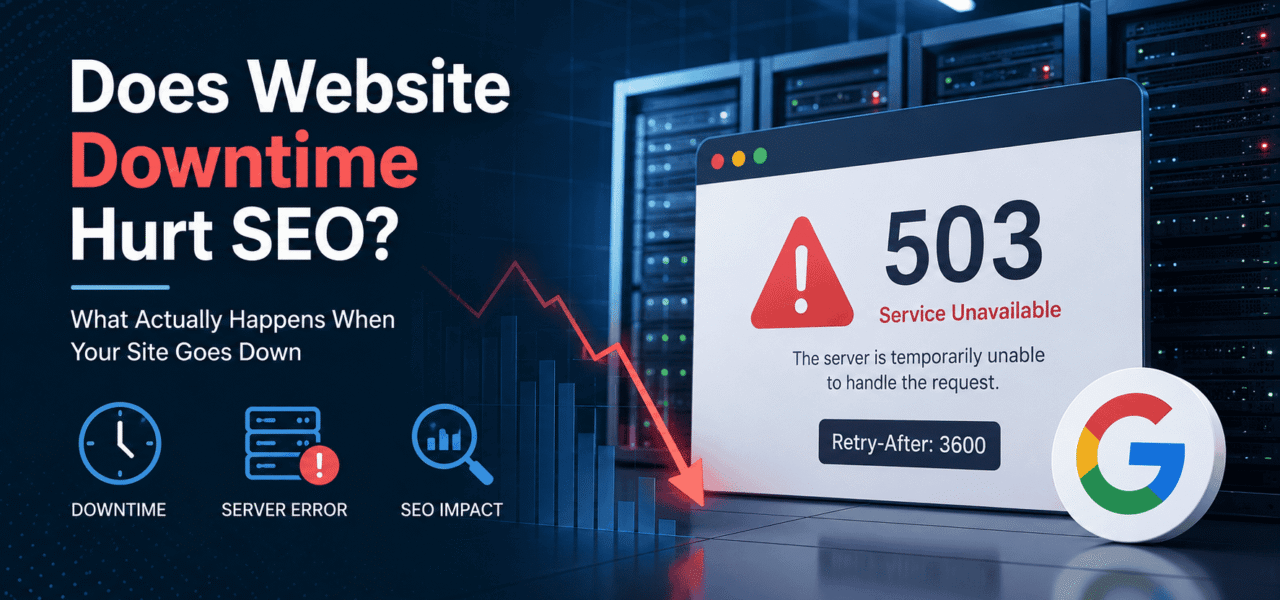
Your website is down. Customers can’t access pages, forms stop working, and your monitoring tool starts flooding Slack with alerts. The next question usually comes fast: is this going to hurt SEO?
The short answer is yes — but not immediately, and not always permanently.
Google understands that websites fail sometimes. Servers crash, deployments go wrong, DNS issues happen, and maintenance windows are unavoidable. A few minutes of downtime usually won’t affect rankings at all. But once outages stretch into hours or days, Google starts changing how it crawls and indexes your site.
The biggest factor isn’t only how long your site is down. It’s also what your server tells Googlebot while the outage is happening. A proper 503 Service Unavailable response sends a completely different signal than a generic 500 Internal Server Error or, worse, a fake maintenance page returning 200 OK.
In this guide, we’ll break down exactly how Google handles downtime, when rankings are actually at risk, which HTTP status codes matter most, and what to do if your site goes offline unexpectedly.
How Google Handles a Down Website
Google doesn’t instantly punish a site for temporary downtime. Its systems are designed to handle occasional instability because outages are common across the web.
What matters is duration, frequency, and the HTTP response Googlebot receives.
Short Downtime (Minutes to a Few Hours)
If your site goes down briefly, there’s usually no measurable SEO impact.
When Googlebot hits a temporary server error, it generally retries crawling later. Google has publicly stated multiple times that short outages are treated as temporary failures, not ranking signals.
In practical terms:
- Rankings usually stay stable
- Indexed pages remain in Google
- Crawl activity may pause temporarily
- Recovery is automatic once the site returns
For most established websites, a 5-minute or even 1-hour outage is not a serious SEO event.
This is why occasional infrastructure incidents rarely cause long-term ranking damage.
Extended Downtime (12+ Hours)
Once downtime stretches past several hours, Google starts acting more cautiously.
At this stage, Googlebot may:
- Reduce crawl frequency
- Slow down recrawling requests
- Delay indexing updates
- Temporarily deprioritize unstable URLs
This is where crawl budget concerns begin to matter, especially for large sites with thousands or millions of pages.
If Google repeatedly encounters errors, it tries to avoid overwhelming your server further. That means fewer pages crawled and slower discovery of new content.
For ecommerce stores, SaaS platforms, publishers, and marketplaces, even a temporary crawl reduction can affect indexing velocity and organic traffic.
Prolonged Downtime (Days)
If a site stays unavailable for multiple days, SEO risk becomes real.
Google may start:
- Removing URLs from the index
- Treating pages as unavailable long term
- Dropping rankings for previously stable pages
- Reducing trust in site reliability
Recovery is not always immediate after the server returns.
High-authority websites usually recover faster because Google crawls them more aggressively. Smaller sites or low-frequency crawl targets can take days or weeks to fully re-index after a major outage.
This is especially true if the outage affected critical pages like:
- Product pages
- Category hubs
- XML sitemaps
- robots.txt
- Canonical targets
The 503 Service Unavailable Response
The most important technical detail during planned maintenance is using the correct HTTP status code.
A 503 Service Unavailable response tells Google:
“The site is temporarily unavailable. Come back later.”
That’s very different from a 500 Internal Server Error, which signals an unexpected server failure.
Google treats 503 as temporary and retries crawling later. A properly configured Retry-After header gives additional guidance about when crawlers should return.
By contrast:
500suggests the server is broken404incorrectly suggests content is gone permanently200 OKon a maintenance page can create soft-404 problems
A planned maintenance page should never return 200.
That’s one of the most damaging mistakes teams make during outages.
Downtime & SEO Risk Table
| Downtime Duration | HTTP Response | Google Action | SEO Risk |
|---|---|---|---|
| Few minutes | 500 or 503 | Retry crawl later | Minimal |
| 1–12 hours | Repeated 500 errors | Reduced crawl activity | Low to moderate |
| 24–48 hours | Persistent failures | Potential temporary de-indexing | Moderate |
| Multiple days | Ongoing errors | URLs removed from index | High |
| Planned maintenance | 503 + Retry-After | Delayed crawling | Minimal if configured correctly |
What HTTP Status Codes Tell Google During Downtime
HTTP response codes are effectively your server’s way of communicating with search engines.
When a site goes offline, Google relies heavily on these signals to decide whether the issue is temporary, permanent, or accidental.
Here’s what the major codes mean during downtime scenarios.
200 OK
This means everything is functioning normally.
If your maintenance page returns 200, Google assumes the page is valid and indexable.
That creates a serious issue because Google may index the maintenance page itself instead of your actual content.
This is often called a “soft error” problem.
A “We’ll be back soon” page returning 200 is one of the worst possible downtime configurations for SEO.
301 / 302 Redirects
Redirects are useful for content migrations, but they should not be used to handle downtime.
Redirecting all pages to a temporary homepage or maintenance page creates confusing signals for crawlers.
Large-scale temporary redirects during outages can also create indexing instability.
404 Not Found
A 404 tells Google the page no longer exists.
Using 404 during server outages is incorrect because Google may start removing those URLs from the index entirely.
If the outage is temporary, 404 is the wrong response.
500 Internal Server Error
A 500 indicates an unexpected server-side failure.
Google understands that occasional 500 errors happen, but repeated failures reduce crawl confidence over time.
Frequent 500 responses can lead to:
- Crawl budget reduction
- Slower indexing
- Temporary ranking instability
Google treats 500 as a bug — not planned maintenance.
503 Service Unavailable + Retry-After
This is the correct response for planned downtime.
It tells Google:
- The outage is temporary
- The server will return
- Crawlers should retry later
The Retry-After header provides a suggested retry timeframe.
Example:
HTTP/1.1 503 Service Unavailable
Retry-After: 3600
That tells crawlers to retry after one hour.
Example: Proper 503 Maintenance Configuration
PHP Example
<?php
http_response_code(503);
header('Retry-After: 3600');
?>
<h1>Scheduled Maintenance</h1>
<p>We'll be back shortly.</p>
Apache Example
RewriteEngine On
RewriteCond %{REMOTE_ADDR} !^123\.123\.123\.123
RewriteRule .* - [R=503,L]

ErrorDocument 503 /maintenance.html

Header Set Retry-After "3600"
Nginx Example
location / {
    return 503;
}

error_page 503 @maintenance;

location @maintenance {
    add_header Retry-After 3600;
    rewrite ^(.*)$ /maintenance.html break;
}
Real SEO Consequences of Repeated Downtime
A single outage rarely destroys rankings.
Repeated instability is the real problem.
Google evaluates site reliability over time, and persistent downtime creates indirect SEO consequences that compound gradually.
Crawl Budget Reduction
When Googlebot repeatedly encounters failures, it crawls less aggressively.
This is partly protective behavior. Google doesn’t want to overload struggling servers.
For large sites, reduced crawl activity can create serious issues:
- New pages index slower
- Updated pages refresh less often
- Stale content remains in search results
- Important changes take longer to process
This becomes especially problematic for news sites, ecommerce stores, and high-frequency publishers.
Trust and Quality Signals
Google has never confirmed uptime as a direct ranking factor.
But consistent accessibility absolutely affects how search systems interact with your site.
Reliable websites are easier to crawl, cache, and serve in results.
Unstable websites generate friction.
Over time, repeated outages can weaken overall search performance indirectly through reduced crawl confidence and slower indexing behavior.
Backlink Traffic Loss
When pages fail during traffic spikes or referral visits, backlinks stop delivering value temporarily.
If users click a high-authority link and land on a server error page, you lose:
- Referral traffic
- Conversions
- User trust
- Potential engagement signals
Repeated failures also damage brand perception outside SEO.
Core Web Vitals & Server Instability
Many outages don’t begin as hard downtime.
Often the server degrades first.
Before complete failure, users may experience:
- Extremely slow page loads
- Timeout errors
- Broken rendering
- Incomplete resource delivery
That can hurt metrics like Largest Contentful Paint (LCP), especially during traffic surges or overloaded deployments.
Infrastructure instability often impacts performance before availability fully collapses.
Monitoring Uptime for SEO Purposes
Most uptime monitoring setups are built for engineering teams.
SEO teams need something slightly different.
The goal isn’t only detecting outages — it’s understanding how downtime affects crawlability, indexing, and search visibility.
What to Monitor
Don’t only monitor your homepage.
Critical SEO monitoring targets include:
- High-traffic landing pages
- Revenue-driving pages
- XML sitemap
- robots.txt
- Canonical templates
- Category pages
- Checkout and conversion paths
If your robots.txt becomes unavailable during downtime, Google may temporarily stop crawling entirely.
That’s a major issue many teams overlook.
Using integrated tools that combine technical SEO audits with uptime monitoring makes incident response much faster because engineering and SEO teams work from the same visibility layer.
Monitoring Frequency
Hourly checks are not enough for critical websites.
A 20-minute outage can disappear entirely between hourly intervals.
Recommended cadence:
- Every 1 minute for critical pages
- Every 5 minutes for general monitoring
- Immediate escalation for repeated failures
Frequent checks help identify intermittent issues that traditional monitoring often misses.
Alert Channels
Alerts should reach more than engineering teams.
SEO stakeholders should also receive outage notifications because indexing consequences may continue after infrastructure recovers.
Useful alert destinations include:
- Slack
- PagerDuty
- Microsoft Teams
- SMS for critical failures
Integrated technical SEO platforms that support continuous crawling can also detect when critical pages suddenly start returning unexpected response codes.
That matters because some SEO-impacting failures affect only sections of a site rather than the entire domain.
What to Do Immediately When Your Site Goes Down
Fast response matters.
Not because Google instantly penalizes you — but because prolonged uncertainty increases SEO risk.
Here’s the right process.
1. Confirm the Outage
First verify the issue externally.
Sometimes the problem is local DNS, VPN routing, or internal networking rather than true downtime.
Use:
- Third-party uptime checkers
- Global monitoring nodes
- CDN status panels
- External curl requests
Avoid diagnosing outages solely from your office connection.
2. Identify the HTTP Response Code
This is the first technical priority.
Determine whether the site is returning:
500503404- Timeout errors
- Incorrect
200responses
If maintenance is intentional, switch to a proper 503 response immediately.
The response code matters more than the maintenance page design.
3. Check Whether Googlebot Was Crawling
After recovery, review Google Search Console crawl data.
Look for:
- Crawl spikes during outage windows
- Increased server errors
- Crawl rate drops
- Affected URL groups
This helps estimate the potential indexing impact.
4. Re-submit Important URLs
After recovery:
- Submit updated XML sitemaps
- Use URL Inspection for key pages
- Request re-indexing where necessary
This can accelerate recovery for high-priority URLs.
5. Watch Crawl Stats for 7 Days
Even after the site returns, monitor Search Console closely.
Watch for:
- Reduced crawl requests
- Delayed indexing
- Persistent server errors
- Coverage fluctuations
Sometimes crawl normalization lags behind infrastructure recovery.
How to Prevent Downtime from Damaging SEO
Downtime prevention is partly infrastructure engineering and partly operational discipline.
The goal is minimizing both outage duration and crawler confusion.
Choose Reliable Hosting
Look for infrastructure providers with:
- SLA of at least 99.9%
- Redundant architecture
- Strong incident response
- Global edge availability
Cheap hosting often creates hidden SEO costs through instability.
Use a CDN
CDNs like Cloudflare and Fastly can continue serving cached content even if the origin server fails.
That reduces:
- Full-site outages
- Crawl interruptions
- Performance degradation during traffic spikes
Edge caching can dramatically reduce SEO risk during infrastructure incidents.
Implement Automated Monitoring
Real-time alerts shorten recovery time.
The faster your team detects failures, the lower the SEO exposure window becomes.
Good monitoring should include:
- HTTP status validation
- Regional testing
- Alert escalation
- Crawl-aware reporting
Build a Proper Maintenance Mode
Every production site should have a tested maintenance configuration ready before emergencies happen.
That setup should include:
503 Service UnavailableRetry-Afterheader- Lightweight static page
- Minimal resource dependencies
The worst time to figure out maintenance logic is during a live outage.
Conclusion
Website downtime can hurt SEO — but usually not as quickly as people fear.
A short outage lasting a few minutes rarely causes ranking damage. The real risks begin when downtime stretches into many hours or becomes a recurring reliability problem.
Google mainly looks at two things:
- How long the outage lasts
- Which HTTP status code your server returns
If your site must go offline temporarily, always use 503 Service Unavailable with a Retry-After header. Never serve a maintenance page with a 200 OK response.
Most importantly, monitor your infrastructure proactively. Fast detection and proper server responses are what prevent temporary downtime from becoming a long-term SEO issue.
TechySEO monitors your website’s uptime in real time — and alerts your team the moment a page goes down, so you can fix it before Googlebot notices. Start monitoring →
